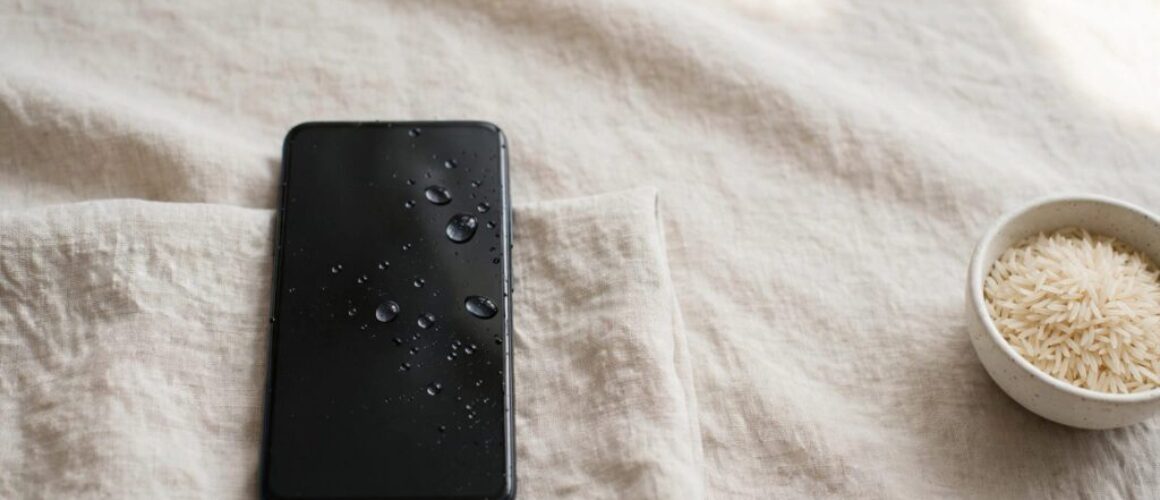
The wet phone rice trick isn’t a reliable way to dry a phone, and Apple advises against it. Switch it off and don’t charge it: rice can’t remove corrosive residue.
We know you’ll be worried about your photos and whether the phone is salvageable. Water damage doesn’t automatically mean the phone is finished, but the next steps matter.
Key takeaways
Keep it off, blot the outside and use room-temperature airflow. Avoid rice, heat and charging tests. Saltwater, sugary drinks or developing faults need prompt assessment.
Why rice isn’t a reliable wet-phone fix
What the drying tests found
In Gazelle’s 2014 drying experiment, ordinary uncooked rice absorbed the least moisture amongst seven materials tested on wet sponges over 24 hours. Open air outperformed every drying agent.
In its separate phone test, all five Samsung Galaxy S III handsets recovered. Only one of four iPhones, three iPhone 4 models and one iPhone 3GS, restarted. These small, older-device tests don’t establish recovery rates for modern phones.
Why apparent recoveries mislead
Rice absorbs some moisture, which explains its reputation. However, a phone recovering whilst sitting in rice may simply have benefited from evaporation.
Apple warns that rice can introduce damaging particles into an iPhone. Rice also works too slowly to prevent corrosion, which can begin within minutes around powered, contaminated components.
What to do in the first few minutes
We recommend this sequence rather than testing whether the phone still works.
Power off the phone immediately. If it’s already off, leave it off. Disconnect charging cables safely because electricity through wet components risks short circuits and faster corrosion.
Remove the case and accessories. Blot the exterior with a soft, lint-free cloth without rubbing liquid into openings.
Once the exterior is dry, remove the SIM tray and memory card where fitted. Remove batteries and back covers only if they’re designed for user removal. Don’t prise open a sealed handset.
Hold ports, speakers and button openings downwards. Gently tap against your hand to drain loose water, without vigorous shaking.
Leave it somewhere dry with room-temperature airflow. A fan blowing across it can help. Avoid charging and repeated button presses.
Apple’s liquid-detection guidance also rules out external heat, compressed air and cotton buds inside the connector. A hairdryer or another heat source can overheat components or force moisture further inside.
Silica gel, airflow and conflicting DIY advice
Silica gel can’t clean contamination
Silica gel is a desiccant that absorbs moisture more effectively than ordinary rice. It may reduce humidity in a closed container, but neither silica gel nor rice can clean contamination beneath connectors.
Gazelle suggested at least four US cups (about 950 ml) of silica gel or instant rice in a roughly 1 to 2-litre container. That historical recommendation doesn’t prove either method beats airflow inside modern sealed phones. Conventional uncooked rice performed poorly.
Older rescue tips need caution
Gazelle also suggested shaking, blowing or vacuuming out water, then opening the phone near a fan. We recommend gentle drainage and leaving internal opening to a technician instead.
A 24 to 48-hour soak using instant rice provides no reliable recovery deadline. Forum suggestions of warmth around 43°C to 49°C and debated isopropanol rinses aren’t suitable home instructions. Use room temperature and don’t pour solvents into the phone.
When a dry phone still needs diagnosis
Saltwater and sugary drinks leave residue after evaporation. Water damage from these spills needs prompt professional repair or assessment, not a wait for drying agents.
In workshop cases, a water-damaged phone can look normal at first, even after full immersion. A drowned phone may develop charging trouble or a flickering screen days later.
A dry exterior doesn’t prove dry internals, and evaporation doesn’t remove corrosive deposits.
For iPhone component faults after a watery drop, you can book an iPhone repair for diagnosis. For Samsung faults, Book a Samsung Repair rather than assuming the battery needs replacing.
Google Pixel and iPad diagnosis follows the same principle. A device that won’t turn on or charge needs power-system checks. Display fault symptoms can involve the screen, its connections or the mainboard.
Questions about drying a wet phone
How long should an iPhone dry before charging?
Apple says connector drying can take up to 24 hours. However, that doesn’t certify a submerged phone’s internals as safe. Don’t override liquid warnings or treat wireless charging as a workaround after immersion.
Can the photos and files survive?
They can, but recovery depends on the damage. Don’t power on a wet phone for a backup. If it’s already dry, stable and working normally, back up promptly. Tell the technician if data recovery is your priority.
Give the phone a better chance
Rice delays diagnosis without cleaning the damage that matters. Keep the device switched off and arrange a diagnosis if contamination or symptoms suggest internal damage.
If you’re unsure what’s wrong, get in touch with Phone Repair Direct. We can help you decide the next step without guessing which component needs replacing.
An iPhone water damage problem isn't solved by drying alone, and water resistance is not waterproofing. The first move is to power the device off immediately, because leaving it on can turn a spill into short-circuit damage and make recovery much harder.
A wet iPhone on a kitchen counter, in a bathroom, or pulled half-submerged from a sink can look deceptively fine at first. That calm surface is what catches people out, because corrosion and electrical faults can start before the phone looks damaged.
The panic is instant. One second your iPhone is in your hand, the next it's in the sink, the bath, or under a spilled drink on the train, and your brain jumps straight to whether it still turns on.
That instinct is understandable, but it's also where people make the most expensive mistake. The first few seconds are about stopping further electrical damage, not checking whether the screen still lights up.
What usually happens first
A wet iPhone doesn't fail in a neat, dramatic way. It often starts with one weak point, then spreads into others as moisture moves across the board and connectors.
Practical rule: if the phone is still on, shut it down before you do anything else. Every extra second with power running through damp components increases the chance of board damage.
That is why UK recovery guidance keeps coming back to the same advice, power it off and don't try to charge it. A UK iPhone data-recovery provider says liquid damage often needs board-level work before data can be accessed, which is a good reminder that the visible splash is rarely the whole problem. UK iPhone data-recovery guidance
The first response that actually helps
Treat the inside of the phone like a home circuit board, because that's effectively what it is. If water bridges contacts while power is flowing, the phone can short in ways that aren't obvious until later.
A simple way to think about it is this, the water is the leak, the power is the spark. Removing the spark comes first.
Understanding Real World Water Resistance
An iPhone with IP67 or IP68 resistance can handle some exposure, but the rating is not a promise. Recent models from the iPhone 7 onward are rated IP67 for up to 1 metre for 30 minutes, while iPhone XS and later are IP68 for up to 2 metres for 30 minutes under test conditions. UK water-damage repair guidance
Those figures come from controlled testing, not a wet pocket, a sink splash, a shower, or a phone that has already taken a few knocks.
Why the rating can fade
Apple's UK support says splash, water, and dust resistance are not permanent and can decline with normal wear. Seals age, phones get dropped, and repairs or casing damage can weaken the barriers that once helped keep liquid out.
Apple also states that liquid damage is not covered by the Apple One-Year Limited Warranty in the UK and Ireland. It notes that some models have water resistance and that AppleCare+ includes accidental damage incidents with liquid damage, which is a different arrangement from standard warranty cover. Apple UK support
Why real life is harsher than the lab
Lab conditions do not include soap in a kitchen sink, chlorine in a pool, salt in seawater, or steam in a bathroom. They also do not include the tiny knocks and hairline cracks that come with normal ownership.
Vodafone's UK explainer makes the same point plainly, the test rating for an iPhone 11 was based on immersion up to 2 metres for 30 minutes, which is not a promise that any real-world spill or dunk will end well. Vodafone UK
A water-resistant iPhone can still be damaged by a short exposure if the seals have aged or the liquid gets in through a weak point.
Immediate Steps to Save Your iPhone
A wet iPhone needs a calm, practical response. Power it off if it is still on, take off the case, and move it away from the water without pressing buttons to test it.
If you want a clear first-half-hour routine, use this water-damaged phone checklist and then keep the device off while you work through the next steps.
What to do straight away
Turn it off immediately if it is still running. Do not wait for the battery to drain.
Unplug any cable at once if it was charging. A wet connector can make the damage worse very quickly.
Remove the case and SIM tray if they come out easily. That gives trapped moisture a better chance to escape.
Hold the phone port-side down so liquid can drain away instead of sitting inside the openings.
Wipe the outside gently with a soft cloth or paper towel, then stop handling it.
What not to do
Do not charge it to see whether it still works. Do not shake it. Do not use rice, and do not apply heat.
Charging a damp iPhone can turn a repairable spill into board or connector damage. The phone may seem fine at first, then fail later when corrosion starts to spread.
Apple's UK support also advises against charging a wet iPhone and says to wait until it is fully dry before connecting a cable. That advice matters because the charging port is often one of the first places to suffer permanent damage.
Hidden Symptoms of Liquid Damage
A phone that powers on after a spill is not automatically safe. Liquid damage often shows up later through weird behaviour, not a total shutdown.
The obvious signs are easy to spot, but the hidden ones tell you much more about what's happening inside. A noisy speaker, a foggy camera lens, or a touch screen that misses swipes can mean moisture has already reached parts you can't see.
What to check beyond the screen
Start with Face ID, cameras, microphones, speakers, and charging behaviour. If Face ID fails intermittently, the microphone sounds muffled, or the camera stays hazy long after drying, those are not random glitches.
Also watch for touch issues. A display that registers taps in one area but not another, or one that ghosts and jumps around, often points to liquid affecting connectors or the logic board.
Signs that suggest deeper damage
Intermittent charging: The cable works only at certain angles, which can point to corrosion in the port or board.
Unexpected restarts: The phone reboots without warning, especially after warming up or being moved.
Audio distortion: Crackling or low volume can mean moisture reached the speaker path.
Blur or condensation: A camera that won't clear up usually needs more than a wipe on the outside.
If you can identify the liquid contact indicator, that helps confirm exposure, but it doesn't tell you how bad the damage is by itself. Phone Repair Direct has a dedicated guide to that indicator here: iPhone liquid contact indicator
A phone that “mostly works” after water exposure is often the one that fails later, because the corrosion keeps developing after the initial spill.
Repair Versus Replace Decisions
The first panic fades, and the essential question is simpler: does the phone justify repair, or is the better move to protect the data and replace the handset? Age, extent of liquid exposure, and what's stored on the device all change the answer.
Apple's UK pricing gives a useful benchmark. For severe unexplained damage, Apple lists Other damage at £889, while AppleCare+ lowers accidental-damage incidents to flat-fee repairs starting at £49 and includes liquid damage. Apple UK repair pricing
When repair makes sense
Repair usually makes sense when the phone is still relatively new, the damage is localised, and the data on it matters. A board clean, connector repair, or targeted component work can be the right spend if the alternative is replacing a device you still intended to keep.
When replacement starts to win
Replacement becomes easier to justify when the phone is already ageing, corrosion has spread across the board, or the quote sits close to the cost of another handset. UK water-damage recovery work can move into serious money, with specialist services often pricing advanced liquid-damage jobs from £695 to £1,250 depending on the model. UK water-damage service pricing
There is also a data-recovery-only route when the handset itself is no longer worth saving. A UK provider advertises ultrasonic cleaning at £195 to £395 and more complex logic-board or chip-level recovery at £395 to £1,250, which shows how quickly the job stops being a simple repair and becomes a data decision. UK iPhone liquid-damage data recovery
Why Professional Diagnosis Matters
Water inside an iPhone often reaches places a quick home clean never touches. Drying the case may help with surface moisture, but it does nothing for corrosion under shields, around connectors, or on the logic board.
A proper diagnosis checks the damage you cannot see. If the battery, display, camera, or charging circuit has been affected, those parts need to be tested in a controlled way before money goes into the wrong replacement.
What a good diagnosis changes
It separates repair, data recovery, and replace into different choices. That matters because a wet iPhone that still powers on briefly may be recoverable, but not necessarily worth fully rebuilding.
Phone Repair Direct offers a diagnostic assessment before work starts, so customers are charged only for the repair required. That upfront assessment matters because it helps you avoid paying for parts you don't need. Phone Repair Direct diagnostic service
The cost trap to avoid
Apple's UK repair pricing makes the decision clearer. If the issue falls into Other damage at £889, you are already in the range where many people compare repair cost with replacement value instead of treating the phone as an automatic fix.
A professional diagnosis is often the smartest first paid step after the phone is shut down. It answers the question that matters most, whether the phone can be repaired safely, whether the data can be recovered, or whether you should stop spending and move on.
Your Next Steps After Water Damage
If the phone is wet right now, keep the decision tree simple. Power it off, dry it safely, avoid heat, check for hidden symptoms, then decide whether you need repair, data recovery, or replacement.
The mistake many people make is treating water damage like a surface problem. It isn't. The key issue is what happened after the liquid reached the inside of the phone, and whether you stopped the electrical damage quickly enough.
When the phone still isn't behaving normally after drying, get a professional opinion before charging it again. That's the point where a sensible diagnosis saves more money than guesswork ever will.
Phone Repair Direct handles iPhone water damage with UK-wide mail-in repairs and appointment-based drop-in service in Harlow, using diagnosis first so you only pay for the work that's needed. If your phone has had a spill, a dunk, or the dreaded liquid warning, visit Phone Repair Direct to arrange a repair check and protect both your data and your wallet.
– James Waterston, Device Repair Specialist at Phone Repair Direct
By continuing to browse our site, you agree to the use of our cookies.
This website uses cookies to improve your experience while you navigate through the website. Out of these, the cookies that are categorized as necessary are stored on your browser as they are essential for the working of basic functionalities of the website. We also use third-party cookies that help us analyze and understand how you use this website. These cookies will be stored in your browser only with your consent. You also have the option to opt-out of these cookies. But opting out of some of these cookies may affect your browsing experience.
Necessary cookies are absolutely essential for the website to function properly. These cookies ensure basic functionalities and security features of the website, anonymously.
Cookie
Duration
Description
cookielawinfo-checkbox-analytics
11 months
This cookie is set by GDPR Cookie Consent plugin. The cookie is used to store the user consent for the cookies in the category "Analytics".
cookielawinfo-checkbox-functional
11 months
The cookie is set by GDPR cookie consent to record the user consent for the cookies in the category "Functional".
cookielawinfo-checkbox-necessary
11 months
This cookie is set by GDPR Cookie Consent plugin. The cookies is used to store the user consent for the cookies in the category "Necessary".
cookielawinfo-checkbox-others
11 months
This cookie is set by GDPR Cookie Consent plugin. The cookie is used to store the user consent for the cookies in the category "Other.
cookielawinfo-checkbox-performance
11 months
This cookie is set by GDPR Cookie Consent plugin. The cookie is used to store the user consent for the cookies in the category "Performance".
viewed_cookie_policy
11 months
The cookie is set by the GDPR Cookie Consent plugin and is used to store whether or not user has consented to the use of cookies. It does not store any personal data.
Functional cookies help to perform certain functionalities like sharing the content of the website on social media platforms, collect feedbacks, and other third-party features.
Performance cookies are used to understand and analyze the key performance indexes of the website which helps in delivering a better user experience for the visitors.
Analytical cookies are used to understand how visitors interact with the website. These cookies help provide information on metrics the number of visitors, bounce rate, traffic source, etc.
Advertisement cookies are used to provide visitors with relevant ads and marketing campaigns. These cookies track visitors across websites and collect information to provide customized ads.