iPhone Screen Replacement UK: What It Costs and How Long
[Repair_All brand="Apple"]Apple's published UK repair pricing lists screen-damage estimates of £389 for some iPhone models and £469 for screen and back-glass damage. Independent repair quotes vary widely by model and damage, so the cheapest headline price may not cover the same work.
Compare the exact iPhone model, warranty status and post-repair checks, not just the quoted amount. The screen and its sensors must work together, and the repair should include a clear account of how the device will be tested.
Table of Contents
- What an iPhone Screen Replacement Costs in the UK
- Check Warranty and AppleCare+ Before You Pay
- When a Repair Is Worth It for Your iPhone Model
- Which Route Fits You
- Parts, Calibration and Testing a Replacement Screen
- How to Post Your iPhone for a Mail-In Repair
- Choose Your Repair Route and Book With Confidence
What an iPhone Screen Replacement Costs in the UK
Apple's published estimates range from £159 for some older iPhone SE models to £389 for certain Pro Max models. Third-party quotes also vary by iPhone model and the extent of the damage, so a headline price is meaningful only when it describes the same repair.
| Price point | Figure | Source or context |
|---|---|---|
| Apple UK iPhone screen damage | £389 | Apple UK estimate for certain Pro Max models |
| Apple estimate, older SE models | from £159 | Apple UK estimate for some older SE models |
Apple's UK screen-replacement page provides a personalised estimate after inspection. The model explains much of the price spread: an SE and a recent Pro Max use different displays and sensor layouts, with different parts costs.
Why the same crack is priced differently
Storage affects a phone's second-hand value, even when the screen repair is identical. Age and remaining software support also shape whether the repair makes financial sense, because they affect how long you may use the phone afterwards. Damage matters too: a screen-only repair differs from one that also involves the back glass, while a bent frame may require more work.
Practical rule: A comparable quote should name the iPhone model, screen type, warranty and post-repair tests.
The cheapest quote may offer poor value if it leaves the screen type or testing unclear. Check that the quote explains how touch sensitivity, Face ID and True Tone will be assessed after repair. Price alone cannot show whether these functions have been checked.
Three steps to a figure you can trust
- Identify the exact model. Open Settings, then General, then About. Give the model name shown there when requesting a quote.
- Describe the damage. Say whether the back glass is intact, cracked or missing pieces. This helps distinguish a screen-only repair from a job involving additional damage.
- Compare like with like. Ask for the screen type, warranty length and post-repair checks in writing. A lower quote is easier to assess when you know what it includes.
Check Warranty and AppleCare+ Before You Pay
Pay nothing until you know whether the crack is already covered. Comparing shop prices first is how people fund a repair that a plan would have handled for an incident fee.
| Cover | What it covers | Duration |
|---|---|---|
| Apple one-year Limited Warranty | Manufacturing faults only, not accidental damage | One year |
| AppleCare+ | Accidental screen damage, subject to the incident fee | While the plan remains active |
| Phone Repair Direct standard iPhone screen repair | Standard iPhone screen repairs | 3 months |
| Phone Repair Direct premium iPhone screen repair | Premium iPhone screen repairs | Lifetime |
Apple's UK screen-replacement guidance separates accidental damage from manufacturing faults. The standard one-year Apple Limited Warranty covers manufacturing issues. It does not cover a cracked display from a drop. Without applicable cover you pay for service, and an inspection can lead to the full replacement value being charged if the device is not eligible for repair. That is why extra damage, a swollen battery or a failed board, should be flagged before you hand the phone over.
What AppleCare+ actually changes
Apple's UK service pages treat accidental screen damage as eligible for an AppleCare+ incident fee, and damaged displays and back glass as repairable repeatedly, subject to the plan's terms and the fee that applies. The comparison is not “new phone versus any repair”. It is whether the plan is still active, whether this crack sits inside accidental-damage protection, and what the incident fee is on your account.
Our own screen warranties are narrower and should be read that way. A standard iPhone screen repair carries a 3 month warranty. A premium iPhone screen repair carries a lifetime warranty. Neither replaces Apple's manufacturing cover, and neither is a substitute for an active AppleCare+ plan.
A five-minute check before you pay
- Accidental or a fault: Did the glass fail after a drop or pressure, or did lines and touch die with no impact? Only the second path has a chance under the one-year warranty.
- Plan status: Is AppleCare+ still showing as active, and have you been told the incident fee for this repair?
- Back glass: Is the rear intact? Combined damage changes both Apple's benchmark and whether a plan treats it as one incident.
- Written repair warranty: Does the quote state 3 months, lifetime, or something else, and what it excludes?
If the answers are “accidental, no plan, back glass smashed, warranty not in writing”, you are buying an out-of-warranty repair. Price it as that, not as a covered service.
When a Repair Is Worth It for Your iPhone Model
A screen quote can exceed an older iPhone's second-hand value, making replacement the more economical choice. The decision depends on more than the headline price: compare the repair cost with the phone's value, remaining software support and the extent of the damage. Phone Repair Direct's phone repair guidance is one reference for considering your options.
| Factor | Favours repair when | Favours replacement when |
|---|---|---|
| Repair quote against resale value | Quote is well below the phone's second-hand value | Quote approaches or exceeds the phone's value |
| Software support | Model still receives updates for several years | Model is near the end of software support |
| Damage extent | Screen only, back glass intact | Frame, back glass or internal damage also present |
| AppleCare+ or insurance | Plan covers accidental damage | No cover and a high repair price |
| Data and setup | Moving data to a new phone would be time-consuming | Data moves easily and setup is quick |
How each factor moves one phone
A quote well below resale value may favour repair if the iPhone also has years of updates ahead and only the screen is damaged. The same quote looks less attractive if the phone is near the end of software support or has a bent frame. For another way to compare the costs, use this refurbished phone versus repair comparison.
Data and setup can affect the decision too. Messages, authenticator apps and work accounts may take time to move, so include that effort when weighing a replacement against keeping the phone.
The cost of waiting
A cracked screen can become harder to use if the touch layer fails, while exposed glass can leave the phone vulnerable to moisture. If the damage worsens, the repair may involve more than the screen, changing the original cost comparison.
Repair tends to make more sense when the quote is comfortably below the phone's value and the model has years of updates left. Replacement may be more practical when the quote approaches that value or support is nearing its end. For an older iPhone, compare a diagnosis and quote for the exact model rather than relying on a generic “from” price.
Which Route Fits You

The right route depends on what matters most: a documented Apple repair, a face-to-face assessment, or avoiding a trip to a repair shop. Compare the exact model, parts and warranty alongside the headline price.
| Route | Best for | Main trade-off |
|---|---|---|
| Apple authorised service | Owners who want a documented genuine-part repair or have an AppleCare+ incident | Highest published screen price, such as the £389 benchmark |
| Independent workshop, in person | Readers near a shop who want a face-to-face check | Part quality and testing vary between workshops |
| Phone Repair Direct drop-in | Readers able to book an appointment at the Harlow workshop | Requires travel; most screen repairs are completed within a day of the phone reaching the workshop |
| Phone Repair Direct mail-in | Readers anywhere in the UK who cannot visit a shop | Time without the phone while it is posted, with free tracked Royal Mail postage and insured transit |
Apple offers a documented repair using genuine parts, at a higher published price. Independent workshops may cost less, but the part fitted, warranty and checks after repair can differ. A low quote is poor value if it leaves you with an unsuitable part or inadequate testing.
Phone Repair Direct offers appointment-based drop-in repairs at its Harlow workshop and UK-wide mail-in repairs with free tracked Royal Mail postage. Most screen repairs are completed within a day of the phone reaching the workshop. For mail-in jobs, allow for the time the phone spends travelling both ways as well as the repair itself.
Choose drop-in if you can get to Harlow and prefer a face-to-face visit. Choose mail-in if you are elsewhere in the UK: there is no trip, but you are without the phone while it travels both ways, with postage included on mail-in jobs. Apple may suit owners with AppleCare+ coverage or those seeking an Apple-authorised repair. Compare the full terms, not just the quoted price: the exact model, warranty and post-repair checks all affect the value of the repair.
Parts, Calibration and Testing a Replacement Screen
A screen can sit in the frame, light up, and still be the wrong repair. Fit is not calibration.

Apple's UK announcement on used genuine parts explains that component pairing identifies a part and gathers information about it. Supported genuine parts, new or used, can go through on-device calibration after installation. Parts taken from a device protected by Activation Lock or Lost Mode may have calibration restricted. Apple's repair documentation also says replacement equipment may contain new or previously used genuine parts that have passed Apple's functional requirements. A low-cost or unverified display can still produce inaccurate touch, missing display features, a warning in Parts and Service History, or weak integration with sensors and biometrics, even when the glass lights up.
For Apple devices, only Apple provides genuine screens, and that route is priced accordingly. Everyone else is fitting a part that has to be judged by the test, not by the box it arrived in.
Run this when the phone comes back
Apple's repair-assistance steps need an updated operating system, Wi-Fi, and more than 20% battery charge. If those are missing, calibration may not have finished. Then check the handset yourself:
- Touch. Drag from every corner and along both edges. A dead strip near the frame is a failed digitiser, not “it needs a day to settle”.
- Brightness and colour. Move the brightness slider and look for a dull band or a tint on one side.
- Proximity. Start a call and hold the phone to your ear. The display should blank, then wake when you pull it away.
- Front camera and earpiece. Take a selfie and make a short call. A dark camera or a faint earpiece often means a cable was disturbed, not a bad panel.
- Face ID, where the model has it. Enrol a look or use it once. A “move iPhone lower” loop that never completes is a sensor problem.
- True Tone. Toggle it in Display settings. If the option has vanished, say so before you accept the repair.
- Parts and Service History. Open Settings, then General, then About. Read the recorded repair status, and use our guide to the Parts and Service History message after a repair if the wording is unclear.
Inaccurate touch, or a warning you were not told about, is a reason to send the phone back for another look, not to live with it. A documented test with a written result is far more useful than someone glancing at the glass and calling it done.
How to Post Your iPhone for a Mail-In Repair

Posting a phone is a chain of custody problem as much as a packaging one. Our mail-in phone repairs page is the booking path. The steps below are what should happen before the parcel leaves your house.
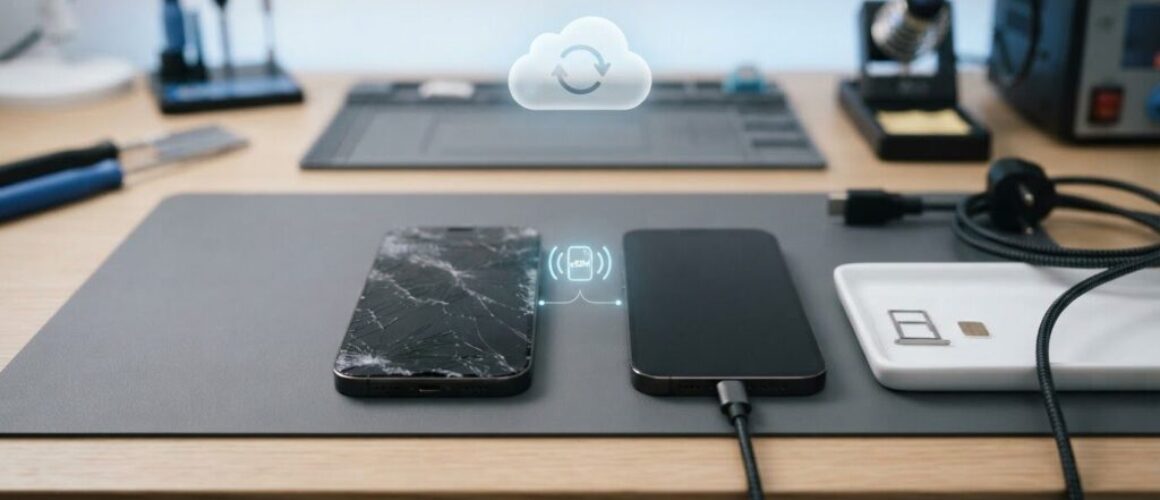
- Back up first. Use iCloud or a computer so photos, messages, and documents exist somewhere other than the handset. A backup you have not checked is not a backup.
- Sign out and clear the lock. Sign out of your Apple ID and turn off Find My under Settings, your name, Find My. Remove Activation Lock. A device left locked cannot be fully tested, and a part from a locked phone can have calibration restricted.
- Record the condition. Photograph the screen, back glass, frame, and any marks that were already there. Note battery or charging faults in the same note. That record is what stops a pre-existing fault being argued about later.
- Erase only after the backup is confirmed. Then remove the SIM. An eSIM stays with the account, so sign-out still matters. You are not sending a memory card on an iPhone.
- Strip what the repair does not need. Take off the case and any grip or wallet. Accessories in the box are items that can be lost, not items that help the screen job.
- Pack and track. Use padded packaging and insured tracked postage, and keep the tracking number. We include free tracked Royal Mail postage on mail-in bookings, and transit cover is part of that journey, but you should still hold the tracking reference yourself.
- Keep the paperwork. The written quote and your photos stay with you until the phone is back and working. They are the before-and-after, not souvenirs.
Sending a phone that is still full of personal data, or still locked, creates risk you do not need. The repair only needs a handset that powers on, charges enough to finish configuration, and is free of Activation Lock.
When it returns, run the touch, brightness, call, camera, Face ID, and True Tone checks, and compare them with the written repair record. You should receive a written test result and a repair status record, not only a phone that looks tidy.
Choose Your Repair Route and Book With Confidence

The right repair route depends on your location and how soon you need the phone. Check the price for your exact model and the warranty terms, then choose between posting the device or booking a local appointment.
Phone Repair Direct offers UK-wide mail-in repairs with free tracked Royal Mail postage, as well as appointment-based drop-in repairs at its Harlow workshop. Most screen repairs are completed within a day of the phone reaching the workshop.
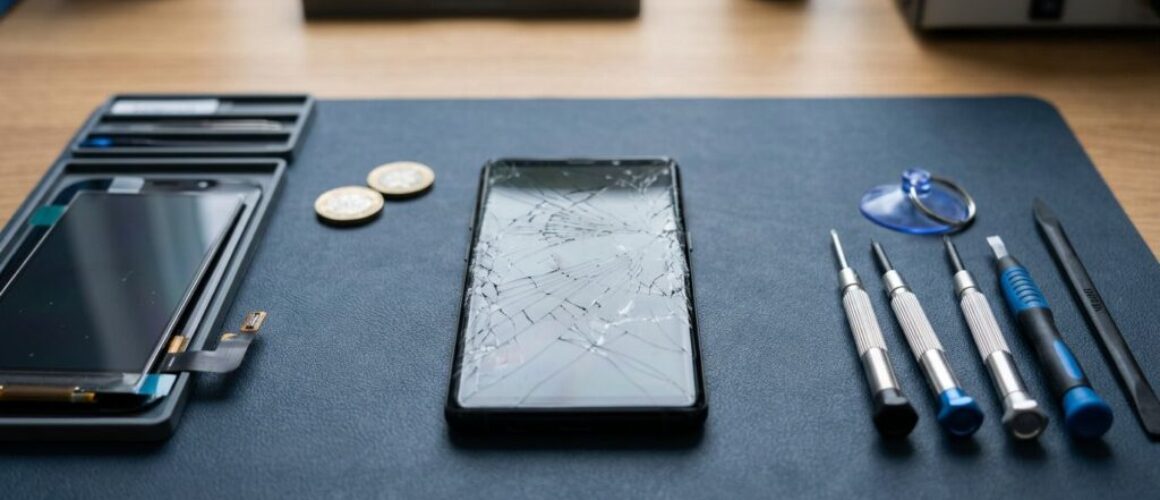
The short film below shows a screen repair on the bench. Before choosing a repairer, check that the replacement is tested and the phone's functions are checked before it is returned.
Phone Repair Direct repairs iPhone, Samsung Galaxy and Google Pixel phones, plus selected iPad models. The business has completed over 5,000 repairs for customers throughout the UK. Book online by choosing an iPhone repair, or call 01279 921780 to discuss your model and symptoms.
– The Phone Repair Direct team
If your iPhone needs a screen replacement, ask for the exact model, repair price and warranty terms before booking. Phone Repair Direct offers UK-wide mail-in repairs and Harlow appointments. Book online or call with your model and symptoms to choose a suitable route.